
From Frustrated User to App Developer: Building a Geofencing App with AI in One Weekend
I always wanted to set this up in my home automation: when we arrive home after dark, I want the lights on my driveway and parking space to be lit already. Sounds easy, right? It isn't. We have a driveway surrounded by neighbours and nature — neither in our ownership — so there's no chance to install motion detectors.
The Problem: Lights That Should Just Work
I always wanted to set this up in my home automation: when we arrive home after dark, I want the lights on my driveway and parking space to be lit already.
Sounds easy, right? It isn’t.
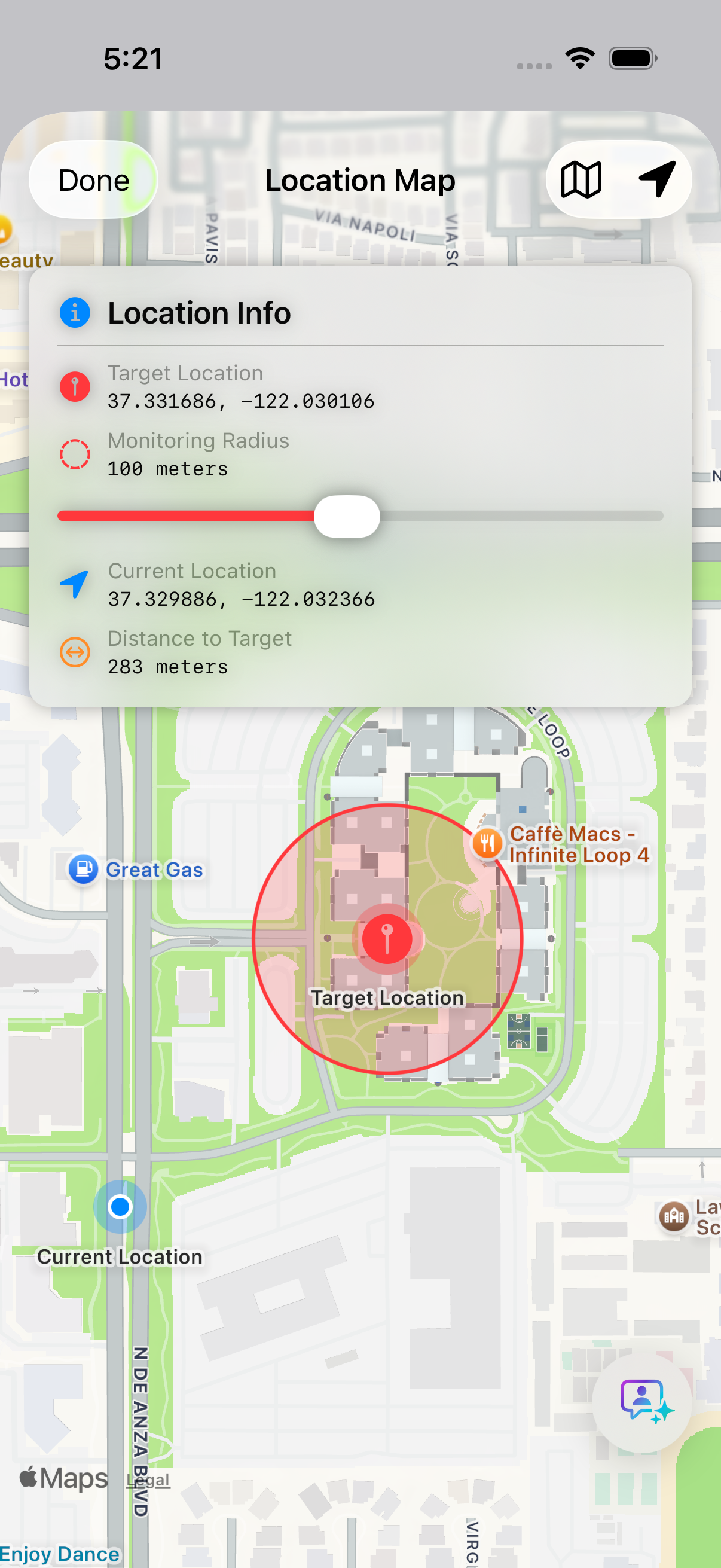
We have a driveway surrounded by neighbours and nature — neither in our ownership — so there’s no chance to install motion detectors that would reach the 40 meters down to the street.
The obvious solution: geofencing. Trigger the lights when my phone enters the home zone.

Why Existing Apps Didn’t Cut It
I tried an existing geofencing app that supported webhooks. Perfect on paper. In reality? I spent hours debugging why my home automation wasn’t responding.
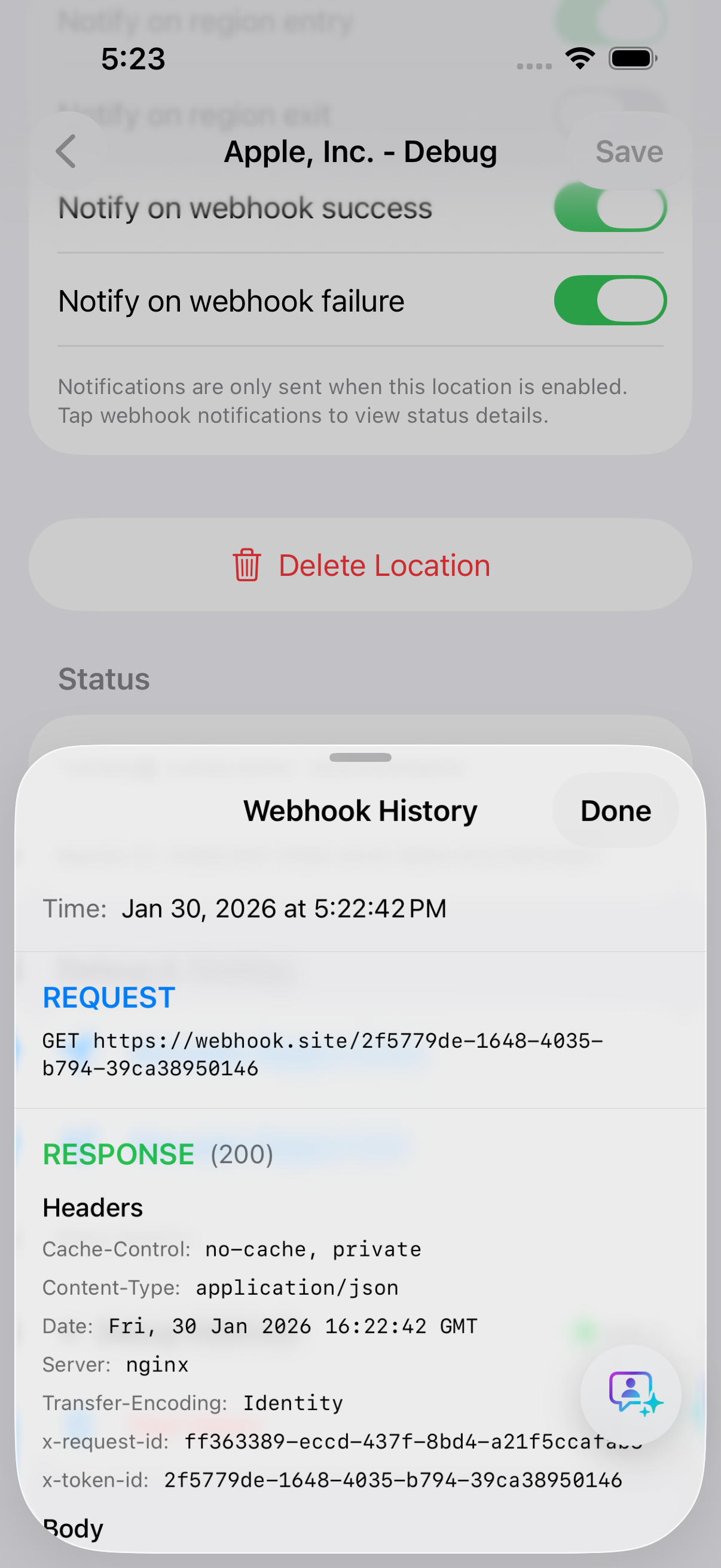
The culprit turned out to be a configuration issue at the webhook endpoint — not even the app’s fault. But here’s what killed me: the app showed me nothing. No response codes, no error messages, no logs. Just silence.
Was the webhook firing? Was it failing? Who knows!
Enter Claude Code (and 10-Minute Feature Cycles)
At the time, I was experimenting with Claude Code for agentic coding. And a thought struck me:
Why not just build my own app?
I believe agentic coding is all about playing with ideas — things you’ve always wanted to try but never had time or budget for. Ideas that pop into your head while playing with your kids, walking the dog, or sitting in meetings.
The core application was up and running within hours, thanks to Claude Opus. And that’s when things got fun. Ideas started spreading in my head like crazy:
- Full logging of every webhook call
- Test integration with a free webhook service (so you can verify what happens before going live)
- Multiple webhooks per location entry/exit
- Custom headers and authentication
The workflow was addictive: idea → type the feature → 10 minutes later → test it on your phone.
“But What About When I’m Walking the Dog?”
Then came the feature request that made me laugh.
A friend testing the app asked: “How can I make sure my garage door only opens when I come home in my car, and not when I’m walking the dog?”
Legitimate question. We both drive Teslas, and Teslas use BLE (Bluetooth Low Energy) for the phone key. Why not check if the Tesla is in BLE range when the trigger fires?
I discussed alternatives with Claude — hands-free Bluetooth pairing, audio device detection — but iOS doesn’t support querying for those devices.
BLE it is.
30 minutes later, I shipped a TestFlight version where you can set your Tesla as a condition:
- “Must be nearby” — only trigger when the car is in range
- “Must NOT be nearby” — trigger only when you’re on foot
From feature request to shipped TestFlight: half an hour. That’s the power of building with AI.
The Takeaway: Just Build It
This is the way forward.
Implementing applications becomes almost trivially easy when the time constraint disappears. Why spend hours customizing an existing app to almost fit your needs when you can build one that works exactly how you want?
And maybe — just maybe — one of these weekend experiments becomes something bigger.
GeoHook is now live in the App Store, scratching my own itch every single day. The driveway lights work. The garage door knows when I’m in the car. And I learned more about iOS geofencing and BLE than I would have from any tutorial.
What’s that app you’ve been meaning to build? Maybe it’s time to stop waiting and just start.
Try GeoHook
App Store: GeoHook
Built with: Swift, SwiftUI, Core Location, Core Bluetooth
Coded with: Claude Code (Opus)
Got questions about building with AI coding assistants? Drop a comment or find me on X/Twitter
Screenshots
Ready to Build Your App Idea?
Let's discuss how we can bring these ideas to life for your business.
Get in Touch